
Heart chamber overview
A labeled organ draft that shows chambers, valves, and vessel connections in one teaching-friendly view.
Cardiology
Draft labeled anatomy overviews, regional cross-sections, and body-system visuals for teaching, study, and patient communication. Define the structure, viewing angle, and audience, then review labels against trusted references.
Free to try ·
Your diagram will appear here
Describe what you need and click Generate
Examples of labeled anatomy drafts for organs, cross-sections, and body-system teaching.
A labeled organ draft that shows chambers, valves, and vessel connections in one teaching-friendly view.
A study-oriented summary that groups cranial nerves by pathway, function, and key landmarks.
A layer-by-layer draft that clarifies joint surfaces, capsule, rotator cuff, and nearby structures.
A renal microanatomy draft that traces filtration and tubular flow with clear label placement.
A regional draft that shows how organs, support structures, and orientation cues fit together.
A body-region draft that maps major drainage pathways and nodal groups for clinical teaching.
Use this page when the core need is structure: organs, layers, vessels, nerves, regions, or cross-sections. It is built for labeled anatomy explanations rather than process-heavy clinical algorithms.
A clear anatomy prompt names the viewpoint, the structure list, the audience, and the level of detail. This is especially useful when you need labels placed consistently across multiple structures.
The page is useful for first-pass labeling and explanation, but it does not replace atlas review, imaging review, or faculty sign-off. Always check structure relationships and terminology before reuse.
Use a narrower page when the brief is more about disease explanation, patient communication, or system-level workflows than anatomy itself.
Medical education workflow
Use the education workflow to align learner level, visual hierarchy, labels, and source review around a teaching board.
Explore medical education visualsDescribe the organ, the view, and the audience, then review the structure labels before reuse.
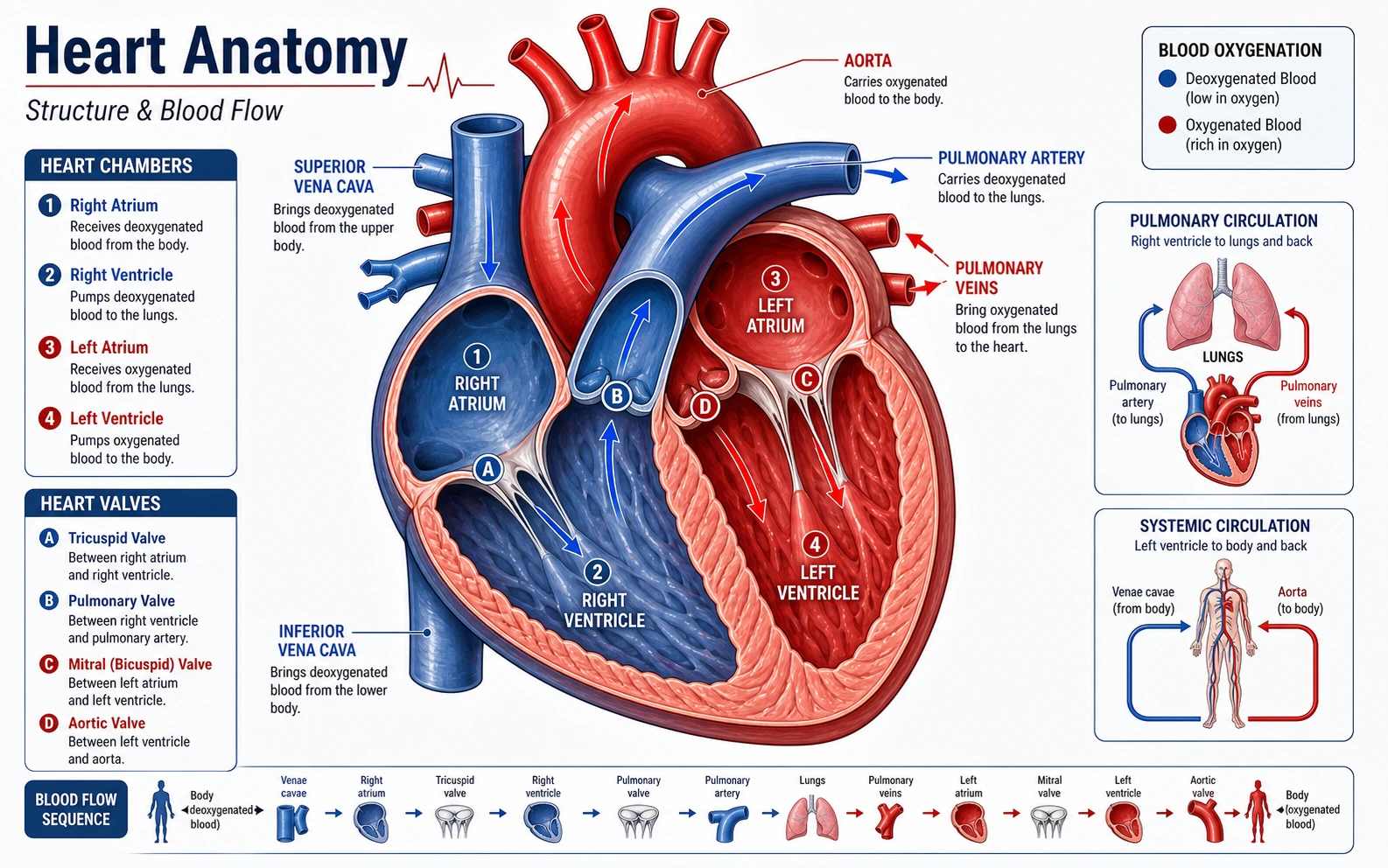 Cardiac Anatomy
Move to a cardiac-specific page for chambers, vessels, conduction, and valve-focused views.
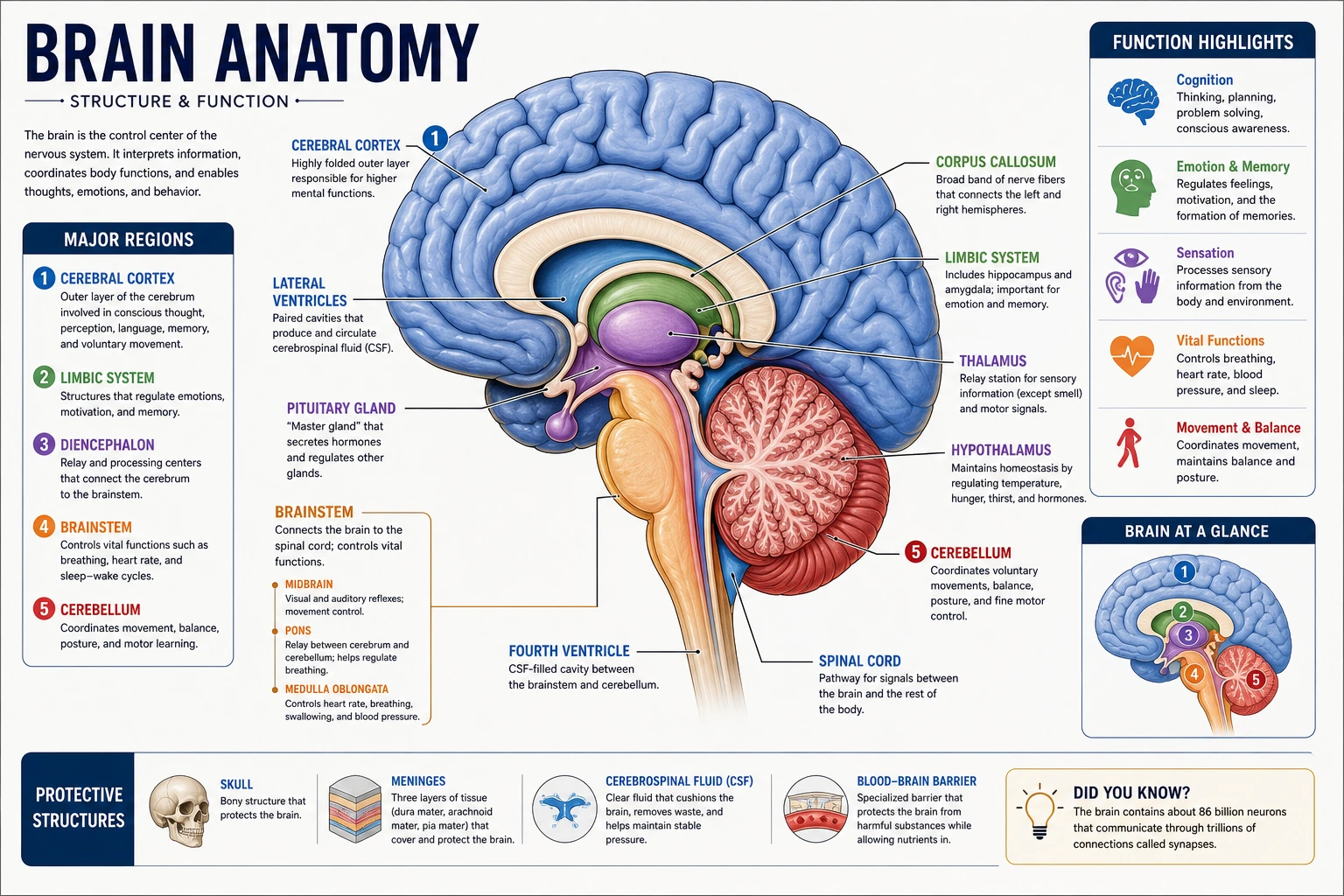 Neuroanatomy
Use a neuroanatomy-focused page for cortex, tracts, ventricles, and cranial structures.
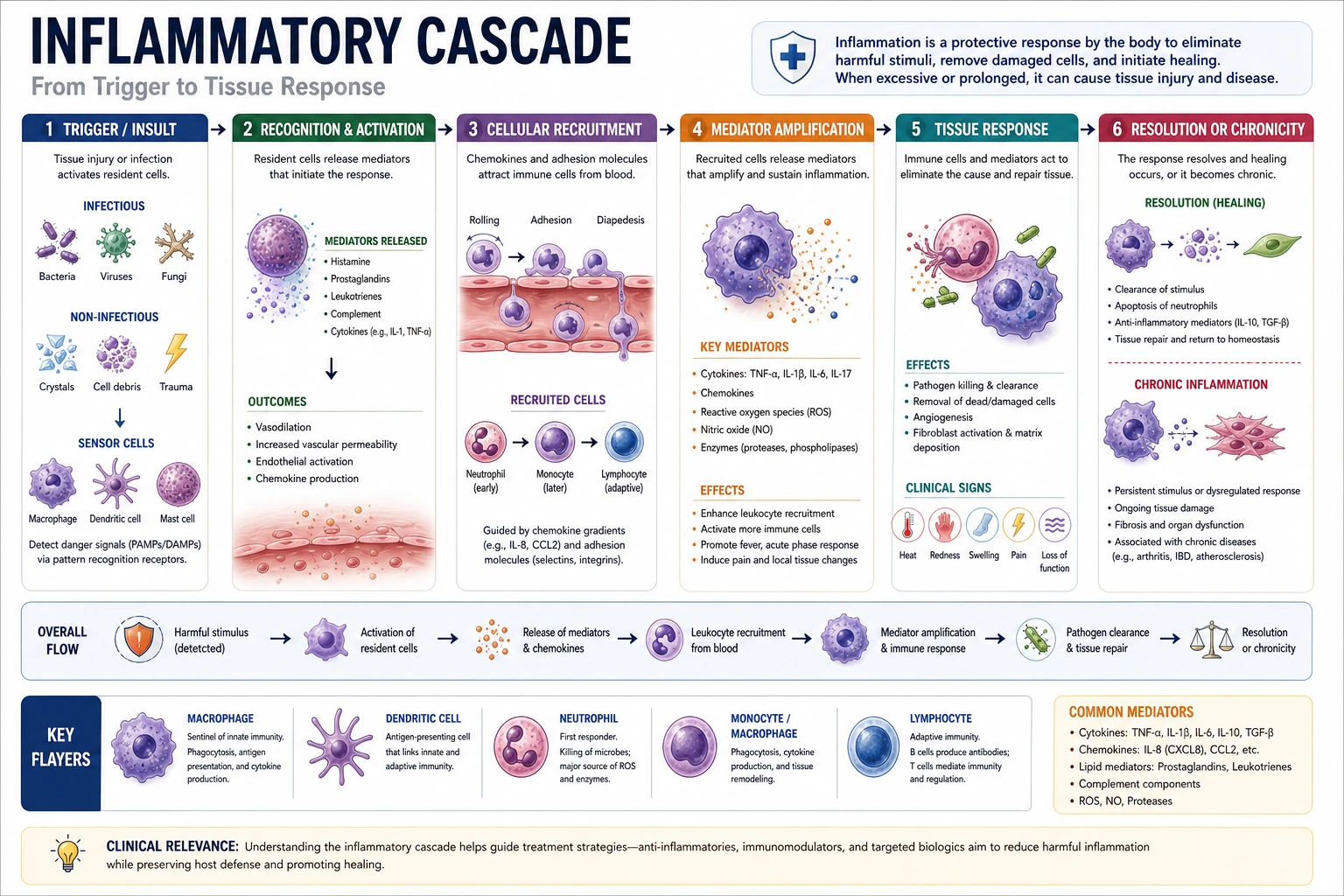 Medical Workflows
Switch to a process-focused page for mechanisms, comparisons, and care pathways.