
Cell division draft
A prompt-based draft that turns a core biology process into a fast first-pass teaching or research visual.
Cell Biology
Compare prompt-based figure drafting with template-library workflows for life science and medical visuals. Describe the figure you need in text, generate a first pass quickly, then refine it in the editor that fits your workflow.
Free to try ·
Your diagram will appear here
Describe what you need and click Generate
Example drafts for life science, anatomy, mechanism, and translational workflows created from text prompts.
A prompt-based draft that turns a core biology process into a fast first-pass teaching or research visual.
A structure-focused draft that shows how prompt-based generation can cover anatomy as well as process figures.
A body-system draft that demonstrates how text prompts can quickly frame a labeled educational visual.
A high-information-density teaching figure with a main view, detail insets, legend, and review-ready labels for igg antibody structure.
A high-information-density teaching figure with a main view, detail insets, legend, and review-ready labels for crispr-cas9 editing workflow.
A high-information-density teaching figure with a main view, detail insets, legend, and review-ready labels for tumor microenvironment.
Template-library tools and prompt-based tools solve the same broad problem in different ways. One relies on manual assembly from reusable parts, while the other starts from a text brief and generates a first-pass composition.
Prompt-based drafting is useful when the figure idea is still evolving, when the concept is hard to build from stock parts, or when you want to compare several directions before settling on one layout.
Template libraries are still a strong choice when exact placement, consistent icon style, or repeated manual editing matter more than fast ideation.
A practical workflow is to use prompt-based drafting for ideation and broader scene generation, then move the selected concept into whatever editor or template-based tool gives you the final control you need.
Generate a first pass from text, then decide whether the concept should stay in a prompt workflow or move into a manual editor.
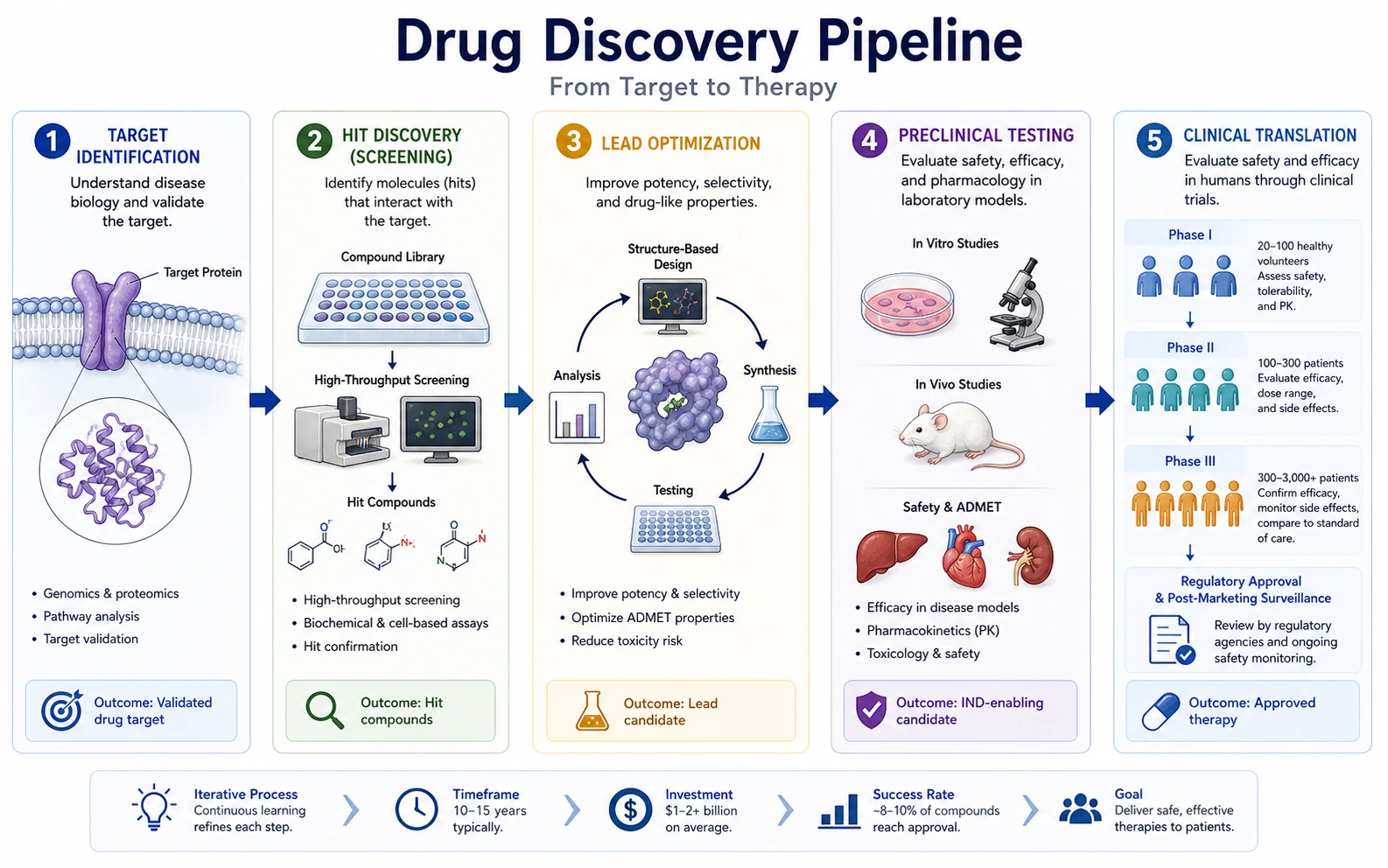 Research Summary
Use a one-panel research-summary page when the main job is to compress a study into a single visual story.
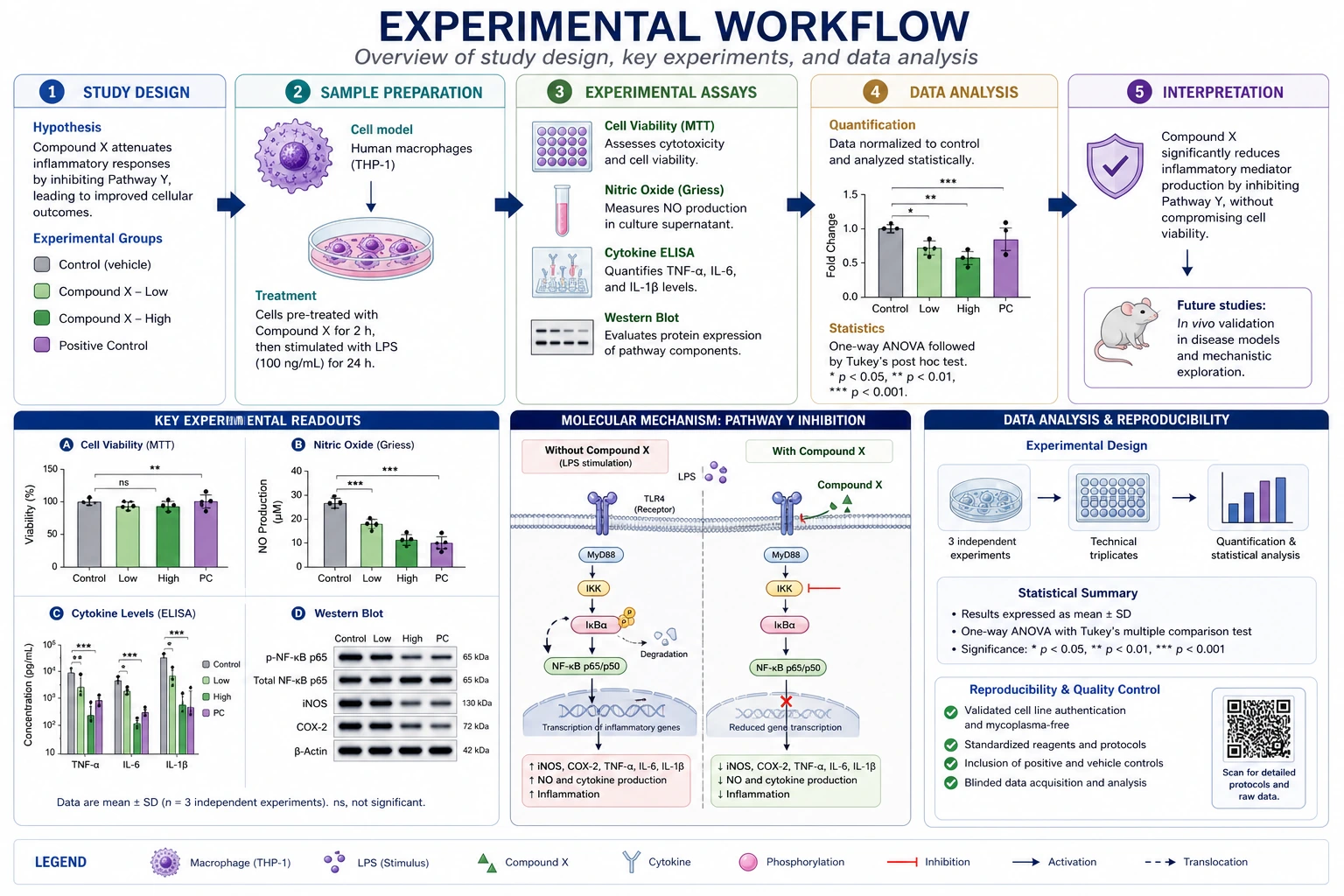 Research Figures
Move to a broader research-figure page for mechanisms, methods, and multi-panel drafts.
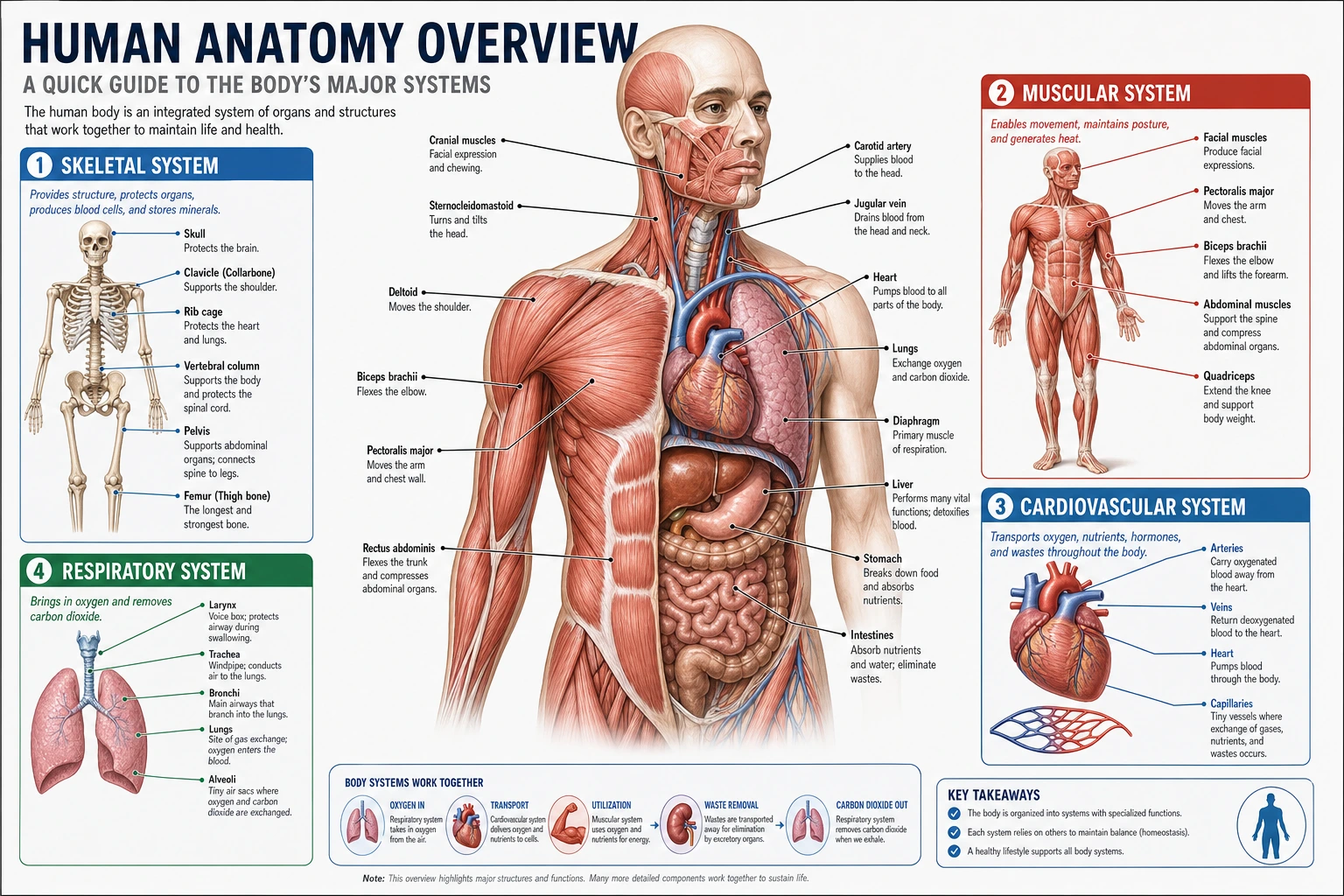 Anatomy
Open a structure-focused page when the figure is mostly about labeled organs or regional anatomy.