
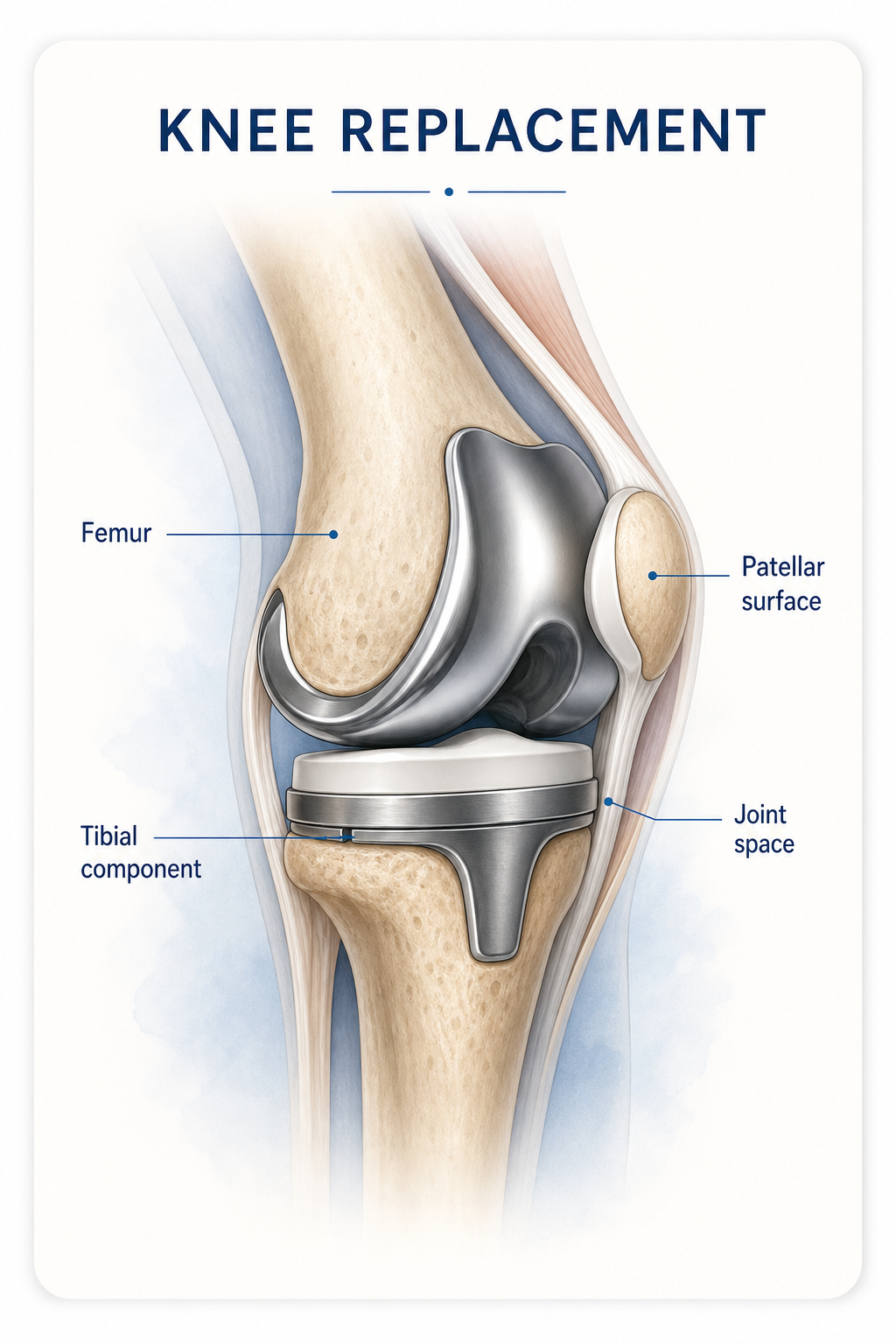
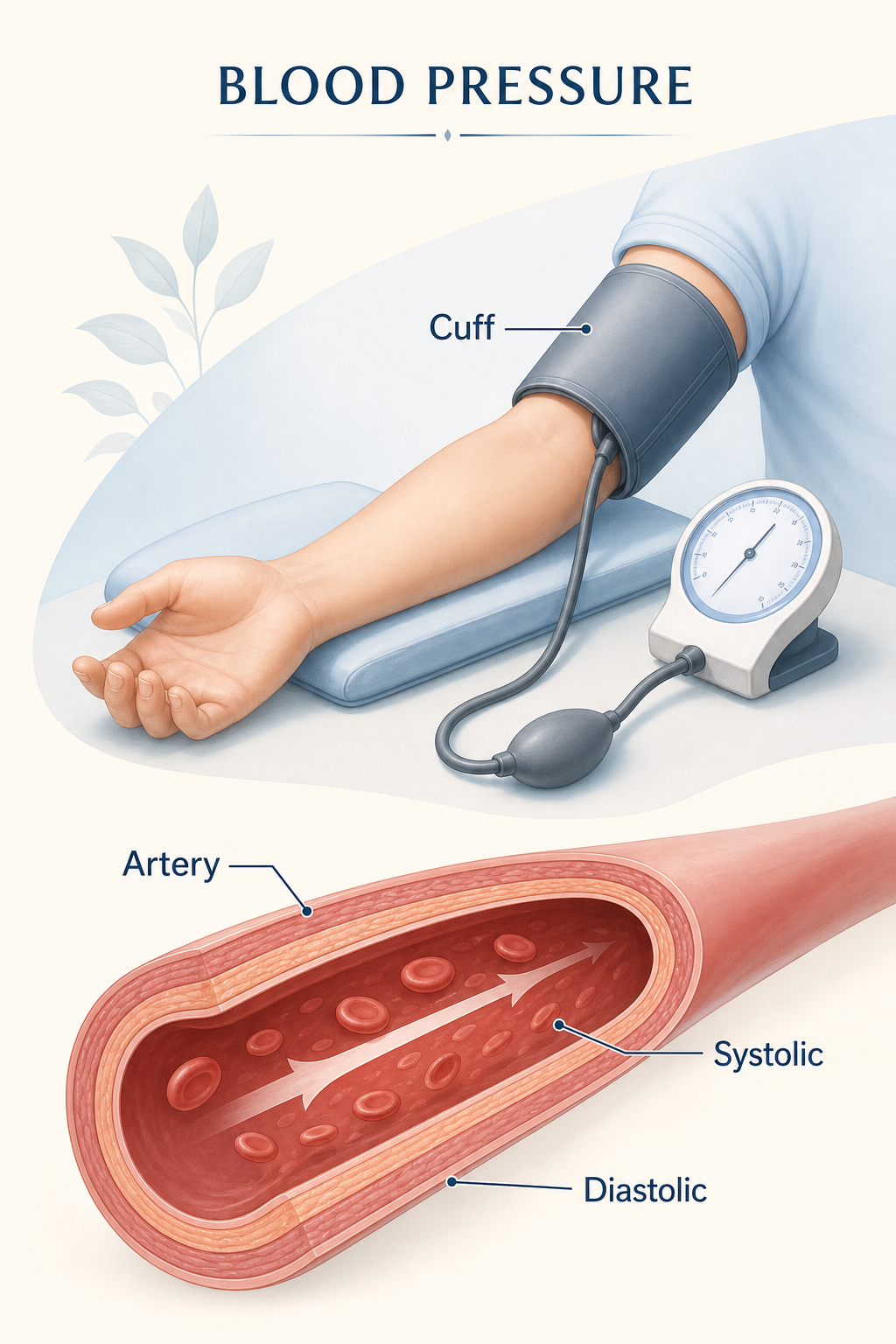
A focused heart-health conversation
Pair one clear anatomical view with only the comparison needed for the approved discussion.
Visual direction
For care teams, clinics, and health communicators
Draft plain-language medical visuals for a defined conversation, then have the responsible care team review every label, claim, and next step.
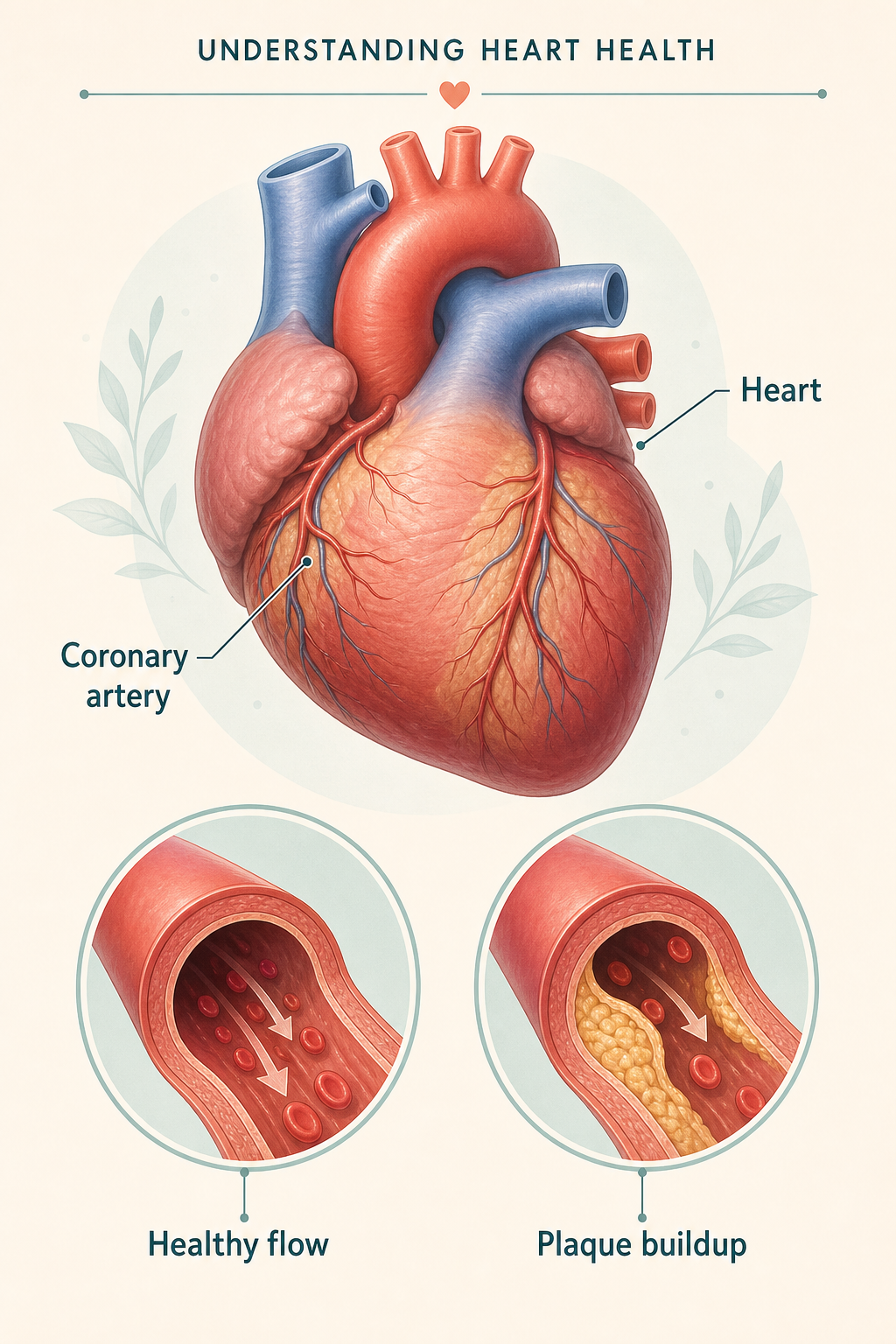
Understanding heart health
A calm visual for a clinician-reviewed conversation.
Move from a focused brief to a reviewable visual with a simple, repeatable process.
State the intended audience, the approved topic, and the one question the visual should help a person discuss or understand.
Use a main view and a close-up only when they clarify the topic; remove decorative detail that makes the explanation harder to follow.
Draft terms that match the approved content and leave space for a clinician or health communicator to revise wording for the audience.
Have the responsible care team check accuracy, safety, language, local policy, accessibility, and any required translation before distribution.
State the intended audience, the approved topic, and the one question the visual should help a person discuss or understand.
Use a main view and a close-up only when they clarify the topic; remove decorative detail that makes the explanation harder to follow.
Draft terms that match the approved content and leave space for a clinician or health communicator to revise wording for the audience.
Have the responsible care team check accuracy, safety, language, local policy, accessibility, and any required translation before distribution.
Use plain language, selective detail, and a clear communication goal to prepare a draft that supports—not replaces—the care team discussion.
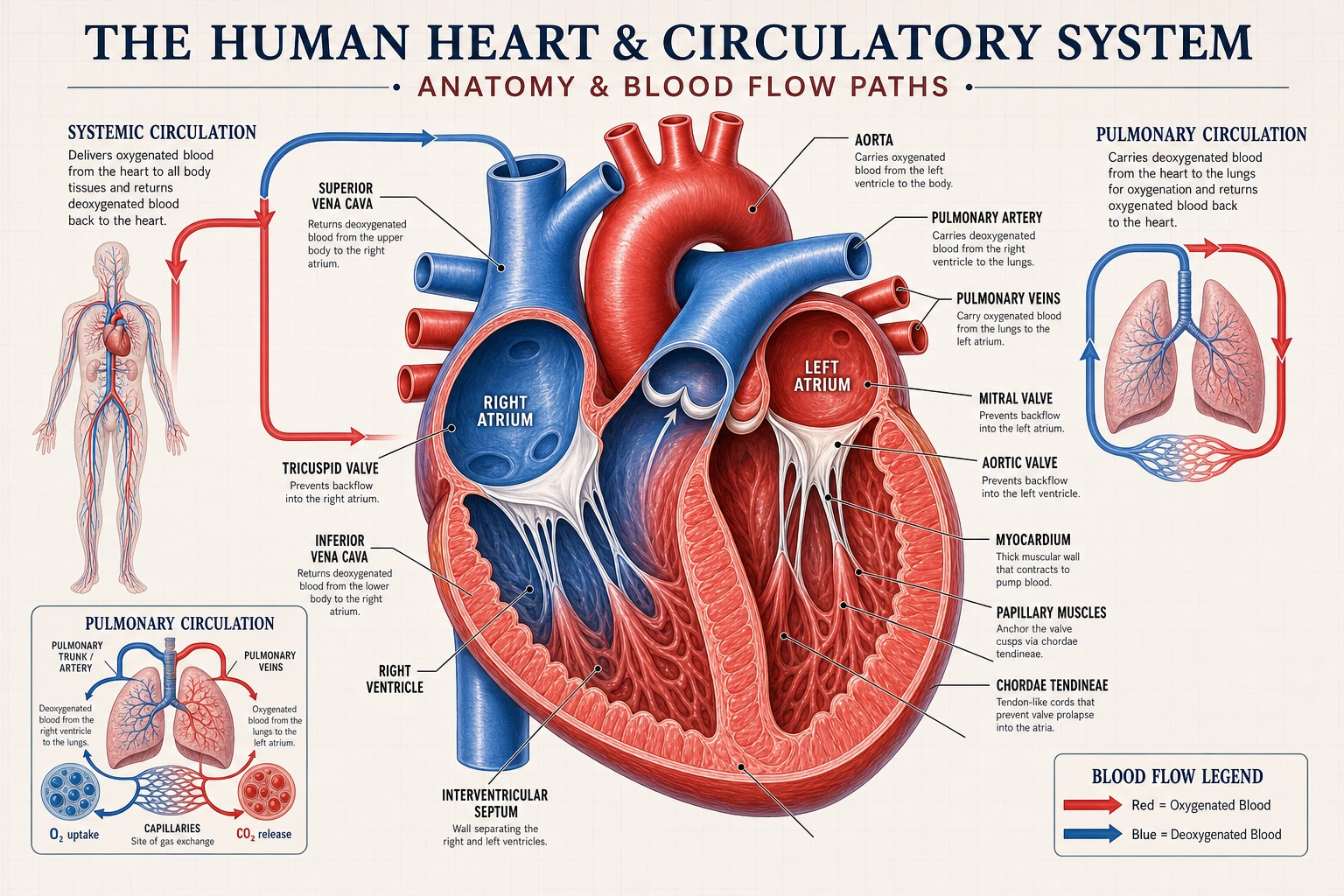
Define who the visual is for, what has already been approved, and the single question it should help a person discuss with their care team.
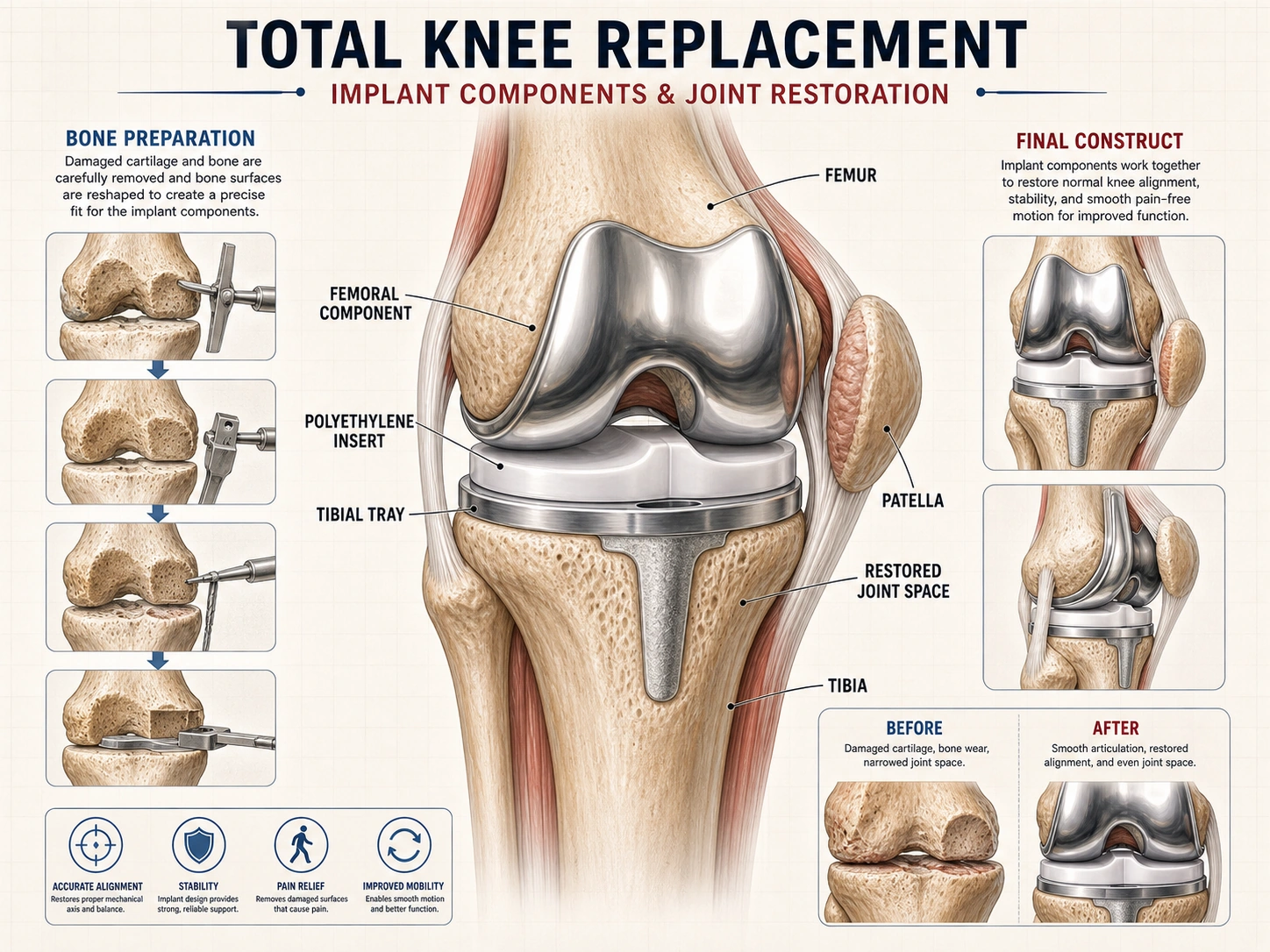
A patient-facing visual should orient, clarify, and leave room for the responsible team to tailor the explanation to the individual.
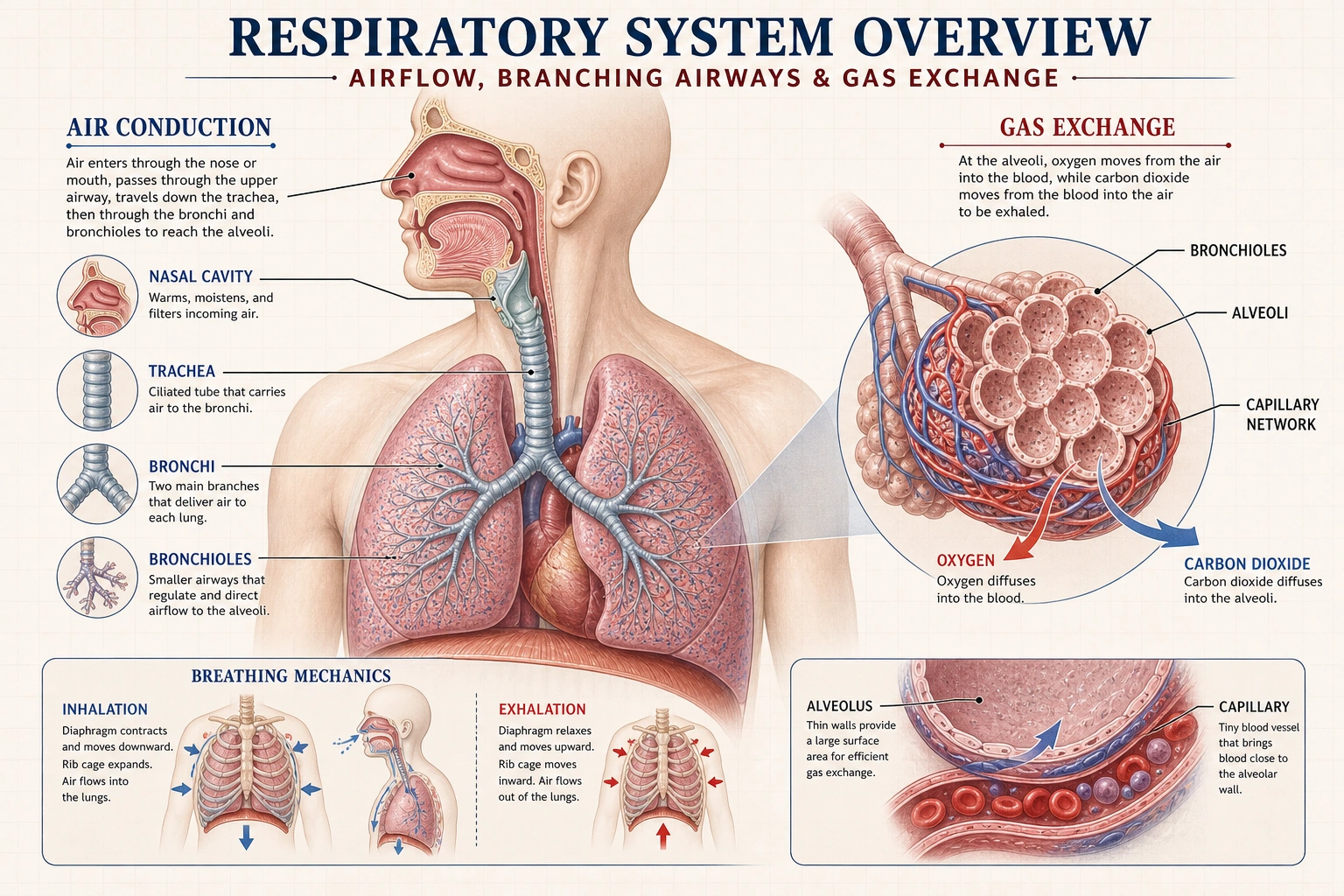
Before a handout or display is shared, the responsible team should check the draft against the clinical, communication, and accessibility requirements that apply.
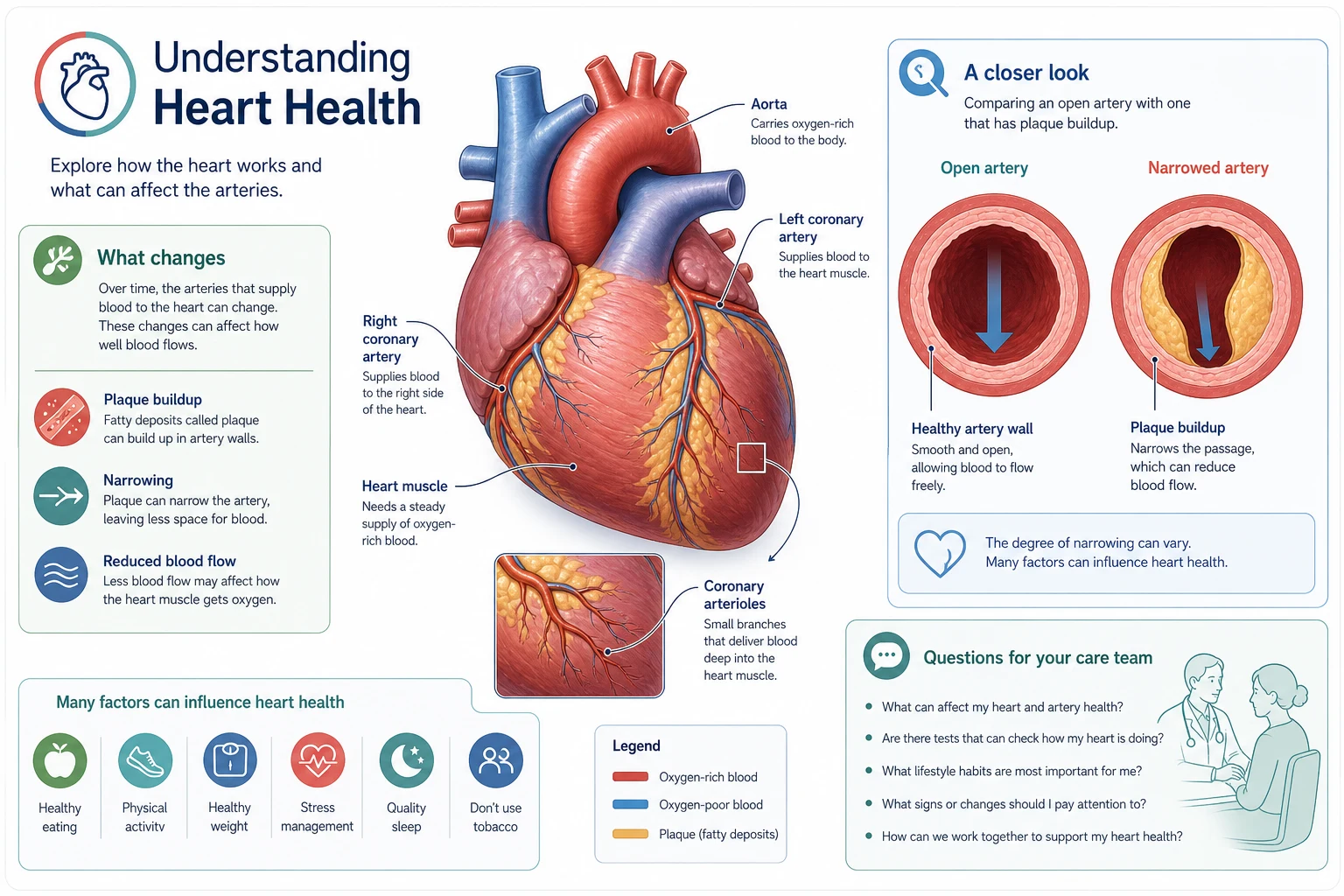
Choose a focused generator when the visual needs a more specific starting point.
Use these examples as structure references, then replace every label and claim with content approved for the intended audience and setting.
Pair one clear anatomical view with only the comparison needed for the approved discussion.
Use neutral labels to orient a person to the structures a care team will explain in context.
Keep devices, structures, and terminology clear without adding diagnosis or treatment advice.
Experiences from educators, clinicians, and researchers using Medical Illustration in their own review workflows.
I needed a hepatic portal system diagram for a resident lecture. The generator gave me a labeled first draft that our teaching team could review and refine before class.

Sarah Mitchell
General Surgeon
My students struggle with spatial relationships in the brachial plexus. Using this anatomy diagram generator, I can create multiple-angle anatomy diagrams during class for comparison. This kind of real-time visual teaching was impossible before AI medical illustration tools.

Marco Reyes
Anatomy Professor
Explaining congenital heart defects to parents is hard. I use this medical illustration tool to create patient education diagrams showing their child's specific condition with clear before-and-after views of the surgical repair. The free credits let me test it before committing.

Amara Patel
Pediatric Cardiologist
Anatomy exams require identifying structures from every angle. I use this AI medical diagram generator to create labeled anatomy diagrams for study — the brachial plexus, cardiac valves, cranial nerves. It's way faster than redrawing from Netter's atlas.

Alex Nguyen
4th Year Medical Student
My dissertation requires many scientific figures, so I use this AI medical illustration tool to draft neural pathway layouts before manual polishing. It gives me a faster starting point for discussions with my committee.

Priya Sharma
PhD Candidate · Neuroscience
I use this medical diagram generator to draft catheter-positioning diagrams for IR teaching. The medical illustrations give residents a clearer starting point before we review anatomy and procedural details together.

Marcus Davis
Interventional Radiologist
I needed a hepatic portal system diagram for a resident lecture. The generator gave me a labeled first draft that our teaching team could review and refine before class.
Sarah Mitchell
General Surgeon
My students struggle with spatial relationships in the brachial plexus. Using this anatomy diagram generator, I can create multiple-angle anatomy diagrams during class for comparison. This kind of real-time visual teaching was impossible before AI medical illustration tools.
Marco Reyes
Anatomy Professor
Explaining congenital heart defects to parents is hard. I use this medical illustration tool to create patient education diagrams showing their child's specific condition with clear before-and-after views of the surgical repair. The free credits let me test it before committing.
Amara Patel
Pediatric Cardiologist
Anatomy exams require identifying structures from every angle. I use this AI medical diagram generator to create labeled anatomy diagrams for study — the brachial plexus, cardiac valves, cranial nerves. It's way faster than redrawing from Netter's atlas.
Alex Nguyen
4th Year Medical Student
My dissertation requires many scientific figures, so I use this AI medical illustration tool to draft neural pathway layouts before manual polishing. It gives me a faster starting point for discussions with my committee.
Priya Sharma
PhD Candidate · Neuroscience
I use this medical diagram generator to draft catheter-positioning diagrams for IR teaching. The medical illustrations give residents a clearer starting point before we review anatomy and procedural details together.
Marcus Davis
Interventional Radiologist
Patients understand their biopsy results better when I show them a skin layer diagram with the lesion location marked. I generate these dermatology medical illustrations during consultations — takes about 30 seconds.

Mei-Ling Chen
Dermatologist
We review many figure submissions. A structured AI draft can help authors organize labels and panels before editorial review, but every claim and visual relationship still needs checking.

Thomas Eriksen
Medical Journal Editor
I create procedural illustrations for informed consent discussions. Showing patients exactly what a laparoscopic myomectomy involves helps them feel more prepared. It's like having a medical illustrator on call 24/7.

Fatima Al-Rashid
OB/GYN Specialist
For our EM residency curriculum, I draft visual guides for central lines and chest tubes, then verify each landmark and sequence with faculty before teaching.

Nathan Brooks
Emergency Medicine Physician
Microscopy images are hard for first-year students to interpret. I generate annotated cross-section diagrams alongside real slides so students can map what they see under the microscope to labeled structures.

Clara Reinholt
Histology Professor
Pre-operative planning with patients is much smoother now. I generate reconstructive flap diagrams tailored to their anatomy. The patient education illustrations help set realistic expectations before surgery.

Robert Lindqvist
Plastic & Reconstructive Surgeon
Patients understand their biopsy results better when I show them a skin layer diagram with the lesion location marked. I generate these dermatology medical illustrations during consultations — takes about 30 seconds.
Mei-Ling Chen
Dermatologist
We review many figure submissions. A structured AI draft can help authors organize labels and panels before editorial review, but every claim and visual relationship still needs checking.
Thomas Eriksen
Medical Journal Editor
I create procedural illustrations for informed consent discussions. Showing patients exactly what a laparoscopic myomectomy involves helps them feel more prepared. It's like having a medical illustrator on call 24/7.
Fatima Al-Rashid
OB/GYN Specialist
For our EM residency curriculum, I draft visual guides for central lines and chest tubes, then verify each landmark and sequence with faculty before teaching.
Nathan Brooks
Emergency Medicine Physician
Microscopy images are hard for first-year students to interpret. I generate annotated cross-section diagrams alongside real slides so students can map what they see under the microscope to labeled structures.
Clara Reinholt
Histology Professor
Pre-operative planning with patients is much smoother now. I generate reconstructive flap diagrams tailored to their anatomy. The patient education illustrations help set realistic expectations before surgery.
Robert Lindqvist
Plastic & Reconstructive Surgeon
I create respiratory system diagrams for my COPD and asthma patient handouts. The illustrations are clear enough that patients actually take the materials home and reference them between appointments.

Hannah Müller
Pulmonologist
I use the workspace to explore anatomy-diagram directions for educational videos, then revise the labels, composition, and source notes before publishing.

Jordan Kim
Medical Education Content Creator
For endoscopy reports, I attach AI-generated diagrams showing polyp location relative to anatomical landmarks. Referring physicians appreciate the visual clarity over text descriptions alone. Much better than a BioRender template.

Sofia Torres
Gastroenterologist
I draft simplified retinal diagrams for counseling, then compare them with the approved clinical material and explain the actual OCT findings separately.

David Kwon
Ophthalmologist
Athletes want to understand their injuries. Showing a labeled orthopedic diagram of their specific ACL tear pattern or meniscus damage makes the rehab timeline conversation much more productive.

Lisa Chen
Sports Medicine Nurse
For tumor board presentations, I generate clean pathology diagrams showing staging and margins. The visual standardization helps the multidisciplinary team discuss treatment options more efficiently.

Carlos Rivera
Pathology Assistant
I create respiratory system diagrams for my COPD and asthma patient handouts. The illustrations are clear enough that patients actually take the materials home and reference them between appointments.
Hannah Müller
Pulmonologist
I use the workspace to explore anatomy-diagram directions for educational videos, then revise the labels, composition, and source notes before publishing.
Jordan Kim
Medical Education Content Creator
For endoscopy reports, I attach AI-generated diagrams showing polyp location relative to anatomical landmarks. Referring physicians appreciate the visual clarity over text descriptions alone. Much better than a BioRender template.
Sofia Torres
Gastroenterologist
I draft simplified retinal diagrams for counseling, then compare them with the approved clinical material and explain the actual OCT findings separately.
David Kwon
Ophthalmologist
Athletes want to understand their injuries. Showing a labeled orthopedic diagram of their specific ACL tear pattern or meniscus damage makes the rehab timeline conversation much more productive.
Lisa Chen
Sports Medicine Nurse
For tumor board presentations, I generate clean pathology diagrams showing staging and margins. The visual standardization helps the multidisciplinary team discuss treatment options more efficiently.
Carlos Rivera
Pathology Assistant
Start with approved content and a specific communication goal, then let the responsible care team finalize the visual before it reaches patients.