
Knee ligament overview
A structural draft that clarifies the major stabilizing ligaments and joint relationship cues.
Knee
Draft orthopedic visuals for joint structure, fracture patterns, fixation concepts, and rehab communication. Define the body region, the injury or concept, and the audience before you generate.
Free to try ·
Your diagram will appear here
Describe what you need and click Generate
Example orthopedic drafts for joints, injuries, repair concepts, and rehab explanation.
A structural draft that clarifies the major stabilizing ligaments and joint relationship cues.
A comparison draft that separates common fracture directions or configurations for teaching.
A joint-focused draft that links key stabilizers, position, and common instability concepts.
A musculoskeletal draft that helps explain curvature, load, and regional orientation for teaching.
A simplified draft that explains the main components and anatomy context of arthroplasty teaching.
A communication draft that organizes recovery phases, goals, and mobility milestones at a high level.
Use this page when the request is mainly about musculoskeletal structure, fracture concepts, fixation explanation, or rehab communication rather than only anatomy or only surgery.
Strong orthopedic prompts define the body region, whether the focus is injury, repair, or rehab, and which structures or milestones must appear in the visual.
This page helps with first-pass orthopedic explanation, but final review should still confirm anatomy, injury logic, and any rehab or treatment messaging.
Use another page when the request is mostly about pure anatomy, muscle-layer teaching, or procedure sequence rather than orthopedic communication itself.
Describe the region, the injury or rehab concept, and the audience, then review the output against your trusted source before reuse.
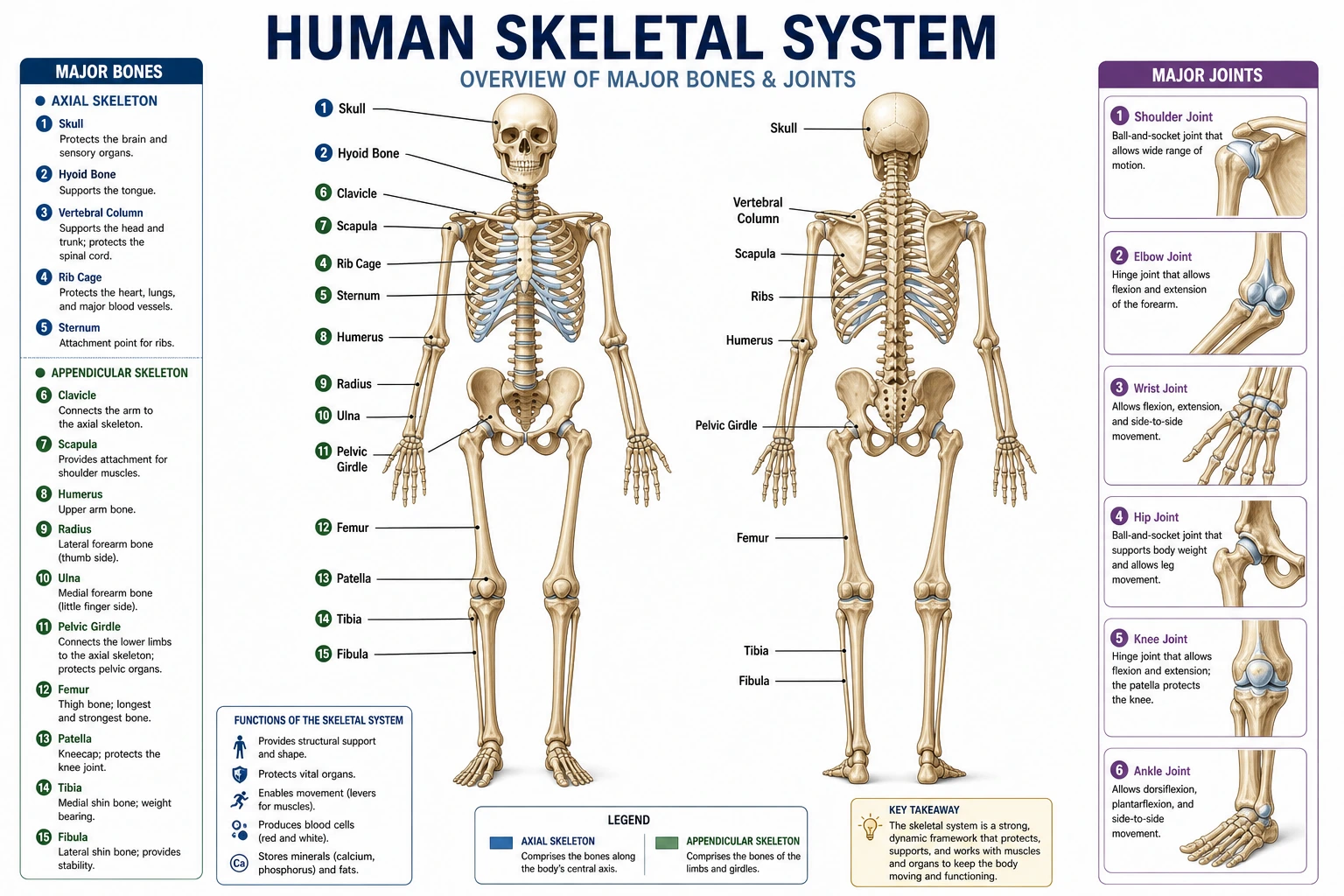 Musculoskeletal
Use a bone-focused page when the visual should stay on anatomy, landmarks, and joint structure.
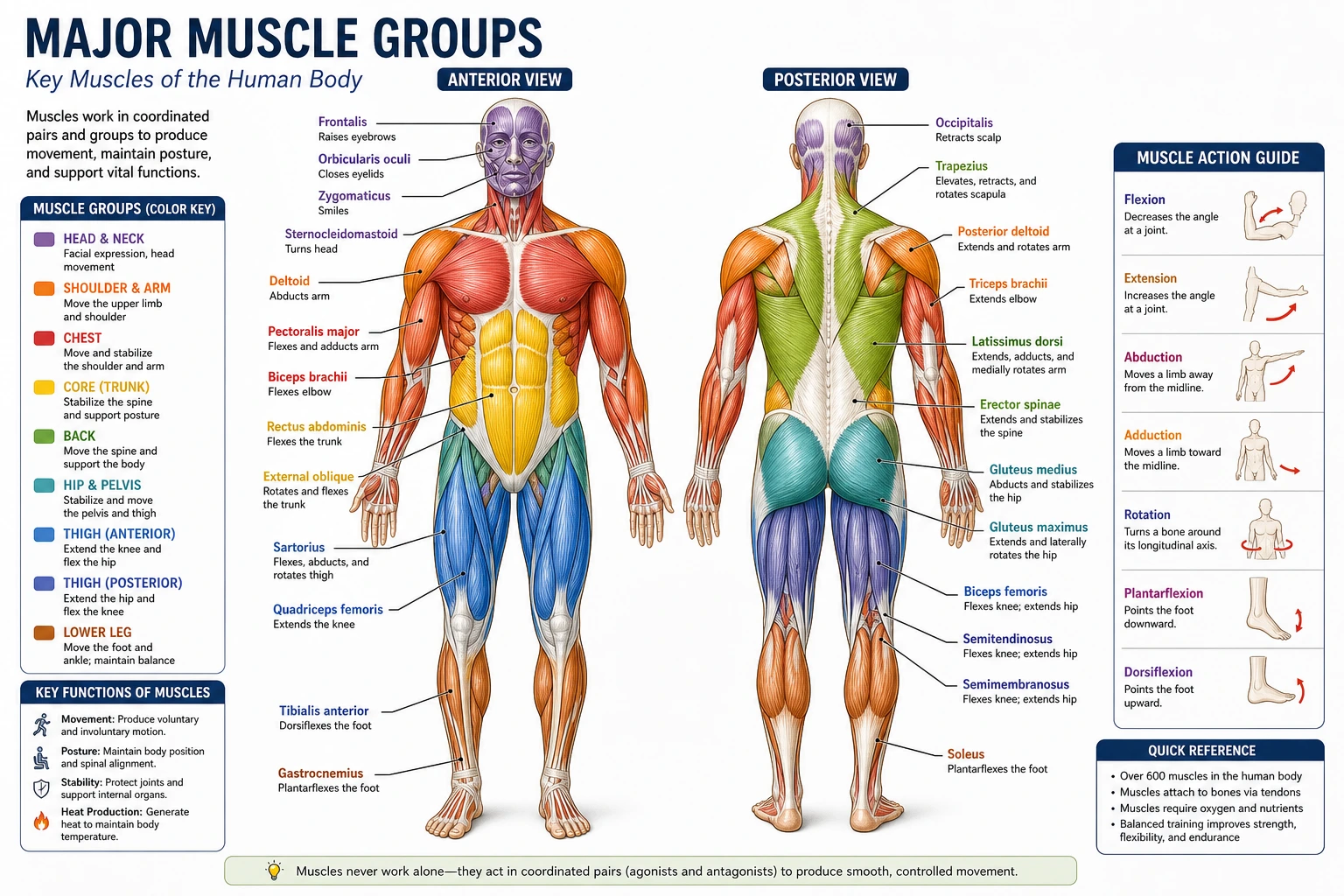 Musculoskeletal
Switch to a muscle-focused page when attachment, movement, or layer teaching matters more than injury context.
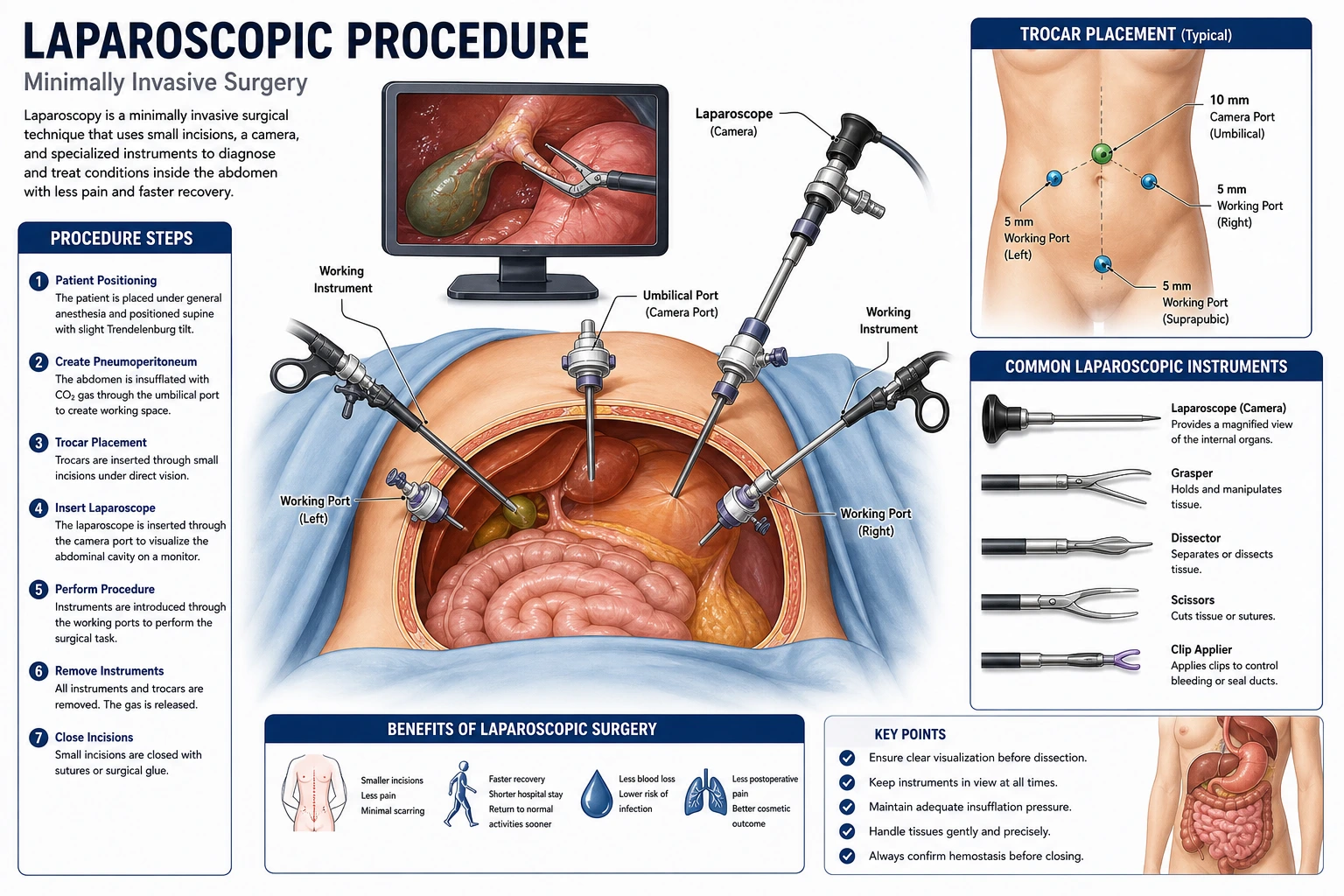 Procedures
Move to a procedure-focused page for operative sequence, exposure, and fixation teaching visuals.